Become a Instructor

Blogs

logotype
Menu
  • Courses
    • Salesforce Admin
    • Salesforce Developer
    • Salesforce BA Training
    • Advance Java Training
    • Buisness Analyst
    • Digital Marketing
    • Oracle DBA
    • QA Testing Course
    • SQL server Training
  • Register

+1-571 989 9489

logotype
  • Courses
    • Salesforce Admin
    • Salesforce Developer
    • Advance Java Training
    • Buisness Analyst
    • Digital Marketing
    • Oracle DBA
    • QA Testing Course
    • SQL server Training
  • Register
  • +1-571 989 9489

Become a Instructor

Blogs

logotype
Menu
  • Courses
    • Salesforce Admin
    • Salesforce Developer
    • Salesforce BA Training
    • Advance Java Training
    • Buisness Analyst
    • Digital Marketing
    • Oracle DBA
    • QA Testing Course
    • SQL server Training
  • Register

+1-571 989 9489

  • Courses
    • Salesforce Admin
    • Salesforce Developer
    • Advance Java Training
    • Buisness Analyst
    • Digital Marketing
    • Oracle DBA
    • QA Testing Course
    • SQL server Training
  • Register
  • +1-571 989 9489
logotype
logotype
  • Courses
    • Salesforce Admin
    • Salesforce Developer
    • Advance Java Training
    • Buisness Analyst
    • Digital Marketing
    • Oracle DBA
    • QA Testing Course
    • SQL server Training
  • Register
  • +1-571 989 9489
salesforce admin training Tag
Home Posts Tagged "salesforce admin training"

Tag: salesforce admin training

TECHinformation technologyadmin0 Comments
Share article:TwitterFacebookLinkedin
123 Views
1 Like

What is Salesforce Headless Architecture? A Complete Beginner’s Guide

If you’ve spent any time reading about Salesforce recently, you’ve probably noticed people talking about headless architecture. It has become one of those tech terms that seem to appear everywhere, but very few articles explain it in plain English.

The good news is that the idea isn’t nearly as complicated as the name suggests.

Think of yourself entering your favourite apparel shop. You, being a buyer, will only see the ambience, well-arranged items, and effortless payment. However, behind the scenes, there is a totally different technology that helps with inventory management, payment processing, and order tracking. All the components operate differently, but cooperate at the same time.

Similarly to this, Salesforce Headless separates the customer-facing front end from the backend system that manages data and business processes. The companies get many opportunities for the creation of a unique website or application that would meet all the expectations of its users.

Knowing this concept would be beneficial if you are thinking about starting your career as a Salesforce professional, since it has become quite popular among those who prepare for getting a Salesforce admin certification.

So, What Does “Headless” Actually Mean?

Even though the term “headless” suggests there may be parts of this platform that are missing, nothing is missing; it is just the opposite. The traditional website has all three components (design, content and business logic) of a website connected; therefore, it makes it very difficult for a business to redesign their website if they want a different look from their existing website. The developer will need to figure out how to accomplish that with the limitations of the existing website. Headless architecture allows for that limitation to be removed.

In a headless architecture, the customer-facing website (also called the front-end) is completely separate from the back-end where Salesforce maintains the customer’s records, products, pricing and business process. These systems only talk to each other via API (application programming interface) when necessary and communicate with each other.

Why Are Companies Moving Towards Headless?

Customer expectations have changed a lot over the last few years.

People no longer interact with a business through just one website. They might discover a product on Instagram, continue browsing on their phone, complete the purchase on a laptop, and later check the delivery status using a mobile app.

Businesses need technology that can support all these touch points without creating extra work every time a new platform appears.

That is exactly where headless architecture becomes useful.

Instead of rebuilding everything whenever the customer experience changes, companies can simply create a new front end while Salesforce continues doing what it already does best—managing customer data, orders, and business processes.

This is one reason many learners now come across the topic during online Salesforce admin training. Even if administrators are not writing code themselves, understanding how modern Salesforce systems are connected makes it much easier to work with developers and integration teams.

How Does It Work?

Think of Salesforce as the control room behind the scenes.

Every time a user visits a webpage, searches for a product, applies for an account or makes a purchase, a request is sent to Salesforce by the website. Salesforce then identifies and retrieves the necessary information, which is immediately sent back to the website. The website then presents that information in a way that will be most comprehensible to the user.

The customer never sees what happens behind the scenes. They only notice that everything works smoothly.

That is really the biggest advantage of headless architecture. Businesses are free to improve the customer experience whenever they want without rebuilding the entire system every time.

Advantages of Headless Salesforce Architecture

Below are eight of the most important benefits of using Salesforce Headless Architecture.

  1. It provides businesses with the ability to create multiple experiences across devices while maintaining a single source of customer data.
  2. Allows customers to have a consistent experience whether using a laptop, smartphone, or tablet.
  3. Provides a significant speed-up in development since front and back-end developers can work independently on each project component.
  4. Allows designers, developers, and administrators to focus on different aspects of a project simultaneously rather than sequentially.
  5. Eliminating long wait times and therefore allowing companies to get products out more quickly compared to how they would normally.
  6. Providing a simple method for integrating Salesforce into other applications and systems using an API.
  7. Supporting payment processing, marketing automation, and reporting and analytics system integrations.
  8. Enabling companies to implement emerging technologies into their environment without requiring them to replace their existing Salesforce implementation.

Challenges of Salesforce Headless Architecture

More complex implementations

Implementing a headless solution often requires far more planning than implementing a traditional Salesforce solution, since both the customer interface and the back-end database are created as separate entities and will need to be integrated at some point in the future. This means that there will need to be a lot of coordination between the two sides from day one in order to reduce the chances of any potential issues down the road.

High reliance on APIs

When using headless solutions, most of the communication that occurs between an application’s front-end and Salesforce is done using APIs. If an Application Programming Interface is not functioning properly or is misconfigured, the end user (customers) may not be able to complete their transaction or will see out-of-date data.

It is important to keep APIs secured, accessible, and well-maintained throughout the duration of the project.

Developers Must be Able to Code

A custom-developed solution and a modern web technology will frequently be used to create a headless architecture. The Salesforce administrator is still an important member of the overall team; however, development resource(s) with experience in API/Integration/Web Front End Frameworks will most likely be necessary to implement and maintain the solution.

More Upfront Investment for Some Organizations

For smaller organizations with less complex websites, it does not make financial sense to implement headless architecture. The creation of headless architecture typically requires more development work and higher initial investment; however, larger organizations with larger-scale digital businesses tend to see that the greater flexibility and the increased capability for scalability provide greater long-term return on investment.

Who Should Learn About It?

Developers aren’t the only people who can benefit from having knowledge of a headless architecture. Salesforce administrators, consultants, business analysts and solution architects will also find it helpful to become familiar with how modern applications built on the Salesforce platform are connected. Understanding this will help you as you work toward a Salesforce admin certification, since it will help you to know how Salesforce actually works in real-world business environments.

Online Salesforce admin training is a great method for learning the fundamentals of Salesforce for anyone who is completely new to it. A quality training program will effectively explain the concepts that are involved and demonstrate their use in everyday projects.

Conclusion

Organizations are increasingly opting for a headless architecture to help them create better digital experiences while eliminating the need to constantly redevelop their Salesforce platform due to any changes in requirements. While there is still significant planning involved in implementing a headless architecture for a project, one of the benefits is that it allows teams the flexibility to innovate and scale effectively.

If you want to build your career around Salesforce, knowing about the headless architectural model will keep you up-to-date on how modern Salesforce solutions are designed and developed successfully.

READ MORE
TECHadmin0 Comments
Share article:TwitterFacebookLinkedin
125 Views
6 Likes

How Salesforce Admins Can Minimize Risk Through Proactive Security

Most often, security is not the result of one major event or failure. Rather, it is the collective effects of many minor mistakes over time, which can include an unremoved permission, an unhelpful integration, or an access that was provided “momentarily” without any review afterwards.
This is the reason why maintaining proactive security is so important. It is not about reacting after a failure, but rather being ahead of the curve and preventing issues from happening.

Why Proactive Security Is Important Now More Than Ever​

Salesforce is a critical business tool that provides functionality such as storage for customer information, tracking sales, connecting through various external systems, etc. As a result, even the smallest security gap can create a chain reaction.

The challenge is that very often these types of risks do not manifest themselves until something bad has happened (i.e., audit or worse, a breach). Admins that choose to take a proactive approach create simple habits to maintain a clean, controlled and predictable environment for their company’s Salesforce implementation.

How To Manage Access Correctly

User access is a large portion of how many risks begin. User permissions have a tendency to accumulate as teams grow and evolve, but they often do not get reduced with the same degree of diligence.

To effectively manage user access, we recommend the following:

  • Periodically review user roles for ongoing appropriateness
  • Remove existing permission before granting additional permission to the same user
  • Refrain from establishing ‘temporary access’ without attaching a reminder to revoke that access at a specific point in time
  • Use permission sets judiciously to avoid stacking permission sets without any clarity on how those permission sets are related to each other

These fundamental principles will go a long way towards ensuring that your risk is mitigated; that is why they are often included in initial Salesforce admin training. Because this area directly relates to the longevity or sustained security of your system, you should place a fair amount of priority on ensuring that this process theme is in place.

Data Visibility: Minor gaps, Major impact

After user access is implemented and working correctly, the next reasonable consideration is “What can the user see?” Many administrators minimize the potential for risk at this stage in the access implementation, causing problems after the fact.
Field level security, object level permissions and sharing rules all play a role in determining what users can see once they have successfully been assigned user access through the access implementation process; however, an insignificant misalignment can result in a user having access to see or retrieve sensitive data.

It may be good practice to review these permissions in their entirety in order to avoid uninformed users having access to sensitive data. First, perform a reconciliation of your permissions for users’ permissions based on their most recent organizational changes and/or role changes.

Monitoring Activity Without Making It Complicated

You don’t have to watch everything constantly to be safe, but do you know what you’re looking for? There are a number of really easy ways to monitor activity; a few are:

  • Check your login history for login attempts and from different locations
  • Check your data export activity for unexpected large downloads
  • Monitor integration logs to make sure something unexpected is not happening in your environment
  • Set an alert for critical changes in the system

While these tasks take little time and create greater awareness, there are many professionals who learn these techniques through online Salesforce admin training by using the available built-in tools to simplify their actions.

Managing Integration & Update Needs

In many cases, Salesforce Environments develop over time. When we add all the apps and integrations for our users, we provide them with value, but we also open up new access points to our organization.
We often forget about integrations that were connected for a long time, and this is when the risk continues to build. Spending time reviewing these integrations gives us the opportunity to answer some very simple but important questions: Is this still needed? How much access does it have? Can we restrict or remove this? The same applies to platform updates. New features often include improved security controls, but they only help if they are understood and used.

Building a Consistent Security Habit

Effective administrators don’t depend on one-off solutions; they create habits. Instead of considering security as a separate part of how they work, it’s simply part of what they do because of their commitment to continuous improvement. Taking a few minutes a month for a short review, checking your work after major changes, or establishing an audit of permissions; all of these little activities help a system stay on track.
Salesforce training programs like the self-paced online Salesforce Admin training often emphasize this mentality. While tools can be utilized as needed, it is a function of consistency that makes these tools successful.

Final Words

In conclusion, mitigating risk in Salesforce does not have to be difficult or complicated. Rather, it hinges on paying attention to detail, i.e., the little details that might easily be overlooked.
Adjusting a permission at just the right time, reviewing access rights periodically, or removing an inactive integration may seem like a small task, but they prevent larger problems from occurring later on. Proactive security is about doing the proper work at the right time, instead of doing more work after problems have occurred.

READ MORE
information technologyTECHadmin0 Comments
Share article:TwitterFacebookLinkedin
831 Views
10 Likes

How Salesforce Data Integration Tools Simplify Real-Time Business Connectivity

In a nutshell, businesses collect operational data to perform set tasks optimally. Organisations’ systems must be interoperable in managing customer relationships, analysing operating sales and tracking market trends. That said, many firms rely on unconnected software platforms that hinder data exchange and communication. 

This is where Salesforce data integration tools become relevant. These tools are transformative given that they allow for a free flow of data between systems, thus allowing for real-time connectivity, efficiency, and customer improvements. Let’s explore these popular tools in more detail. 

What is Salesforce Data Integration? 

Integrating Salesforce means connecting the Salesforce application with another application (such as an ERP, marketing automation, accounting, customer service, etc.). This allows data to be exchanged between different systems in an automated and accurate way.

Understanding how powerful Salesforce is in the context of other business technology can provide additional benefits. When a sales team enters a customer order into Salesforce, the same order information will be available to billing and inventory systems without any manual data entry by the sales team.

If there is no data integration focus between teams, then teams will have to perform tedious, time-consuming and error-prone data entry, which is not efficient. Data integration solutions provide a way for businesses to have their data constantly and automatically transferred, exchanged, and synchronized across systems in real-time to eliminate the tediousness of entering data in different systems multiple times.

Key Salesforce Data Integration Tools 

Salesforce offers some integration solutions that are meant to assist different business needs. Their features vary according to the Salesforce integration solution, which was created to support various business needs. 

  1. Salesforce Data Loader: Data Loader is mostly used for importing, exporting, and updating a huge amount of data. It is most effective during system migrations, bulk-updates, and to clean data. 
  1. MuleSoft Integration Platform: MuleSoft helps organisations to integrate Salesforce with other applications using APIs. It also supports real-time data synchronization, making it the best choice for businesses that need to ensure instant data updates across their systems. 
  1. Salesforce Connect: Salesforce Connect helps users connect to external data in real-time without the need to store it inside Salesforce. Therefore, this reduces the cost of storing data, yet provides first-hand information on valuable data. 
  1. AppExchange Integration Solutions: The AppExchange Marketplace has connectivity applications to aid users with Business Integration (such as Email Marketing Apps, Finance Apps & Customer Service Apps) to provide pre-built Integration Solutions for users that utilize Salesforce as well.

Benefits of Real-Time Business Connectivity

There are many advantages to using tools that are created for the integration between companies within the Salesforce ecosystem, the benefits are clearly related to how successful the company is.

Data Accuracy Improvement – Because all teams have access to the latest data, there’s much less chance for inconsistencies and errors due to real-time sync.

Boosting Productivity – When repetitive manual tasks, like data entry, are taken care of through automation, this creates a situation where employees have more time to focus on their high-value strategic tasks.

Greatly Enhancing Customer Experience – Having an integrated system allows you to see all interactions with your customers; therefore you are able to respond more quickly to them and provide more tailored communication.

Speed of Making Decisions – By having access to real-time data, managers will be able to identify trends much quicker, resolve problems sooner, and make educated decisions more quickly.

The Role of Salesforce Administrators in Integration – Salesforce administrators play a key role in integration management. They configure connections, maintain desirable data quality, monitor system performance, and smooth workflow between platforms. 

The number of qualified personnel required within integrated systems will continue to expand, as more and more companies are using integrated systems. Through the best Salesforce Admin Training, participants learn the competencies necessary to use Integration Tools, Automated Processes, and Data Management Policies to add value to their organizations.

The Importance of Training for Successful Integration

Data Integration with Salesforce consists of many technical concepts, including APIs (Application Programming Interfaces), Data Mapping, Automation Workflows, and System Configuration. Given the complexity and potential difficulty associated with the integration process, it is vital that those responsible for integrating know how to do so properly.

By completing online Salesforce Admin Training, participants receive a comprehensive understanding of the realm of Integration and can apply their newfound skills to connect systems securely, ensure that all data is correct and take appropriate corrective actions to fix any integration problems that may arise.

For those who are exploring career opportunities in this field, reading about Salesforce admin skills and responsibilities can also be beneficial. Also, for those who seek career opportunities in this field, it is worth reading more about the skills and responsibilities of Salesforce administrators.

Future Trends in Salesforce Integration 

Therefore, as Digital transformation continues, Salesforce integration is becoming more advanced and smart. Some of these emerging trends are: 

• AI-automation solutions for predictive insights 

• API-based connectivity is also on the rise

• Cloud-native integrations platforms for rapid integrations.

• Analytics in real-time based on data ecosystems” 

It is at this point that integration skills are relevant in the modern business world. 

Conclusion

The Salesforce platforms help companies build connections that allow them to communicate with other platforms to automate their processes, improve quality, increase productivity, enhance customer relations, etc. Companies need to provide a pathway for individuals wishing to enter this rapidly growing career path through higher education and specialized Salesforce admin training programs, as careers in Salesforce administration continue to grow. As more

READ MORE
TECHinformation technologyadmin0 Comments
Share article:TwitterFacebookLinkedin
303 Views
5 Likes

Explore Salesforce Security Checklist for Enterprises and Startups

Data security is no longer optional in today’s digital-first business environments. Protecting customer data, internal records, and business intelligence within Salesforce is key if you are a fast-growing startup or large enterprise. Of course, Salesforce is an impactful CRM, but its security heavily depends on its configuration, monitoring, and maintenance. This, therefore, calls for following a structured Salesforce security checklist that no business can afford to disregard.

Salesforce operates on a shared responsibility model. While the platform manages infrastructure-level security, organisations are responsible for managing user access, data visibility, configurations and compliance. One small misconfiguration can lead to serious data exposure, regulatory penalties, and loss of customer trust.

Speaking of Salesforce for enterprises and startups, let’s explore its importance and key points to be considered. 

Why Salesforce Security Matters to Enterprises and Startups

Large volumes of sensitive data are usually dealt with in enterprises, and this involves complex user hierarchies; thus, security governance is a priority. They also need to be compliant with regulations such as GDPR and industry-specific standards. 

Startups are a lot smaller, although they most often move very fast, and may not have formal security processes in place, which increases the risk of internal errors or unauthorized access.

A well-defined Salesforce security checklist keeps an organization proactive. It embeds security in daily operations and does not make it an afterthought.

Key elements of a Salesforce security checklist for Enterprises and Startups

1. User Authentication and Login Controls

Strong authentication is the first layer of defense. MFA (Multi-Factor Authentication) should be turned on for all end-users, including administrators. Password policies should enforce complexity, expiration, and reuse restrictions. One can also restrict login IP and configure trusted devices so as to reduce the possibility of unauthorized access.

Single Sign-On can also be implemented for central authentication, improving not only the security but also the user experience.

2. Profiles, Roles and Permission Management

The principle of least privilege shall be the basis for access at all times. Base permissions are defined by profiles, and permission sets should be granted in addition to profiles only when required. This helps to minimize overpermissioning and makes access management more scalable and auditable.

3. Data Sharing and Visibility settings

Salesforce also provides flexible controls over data sharing, however, it is very important to configure it mindfully. Other than this, it is necessary to set the Organisation-Wide Defaults (OWD) to the most restrictive level possible. As per the requirements of the business and startups one must use the role hierarchies, sharing rules, and manual sharing along with the borderline access.

Improper sharing settings are among the most common reasons for data disclosure.

4. Field-Level Security and Sensitive Data Protection 

Another essential element of Salesforce security for startups and enterprises is sensitive data protection, which can be achieved by field-level security. One would not want every user to view each of the fields. Field-Level Security ensures that sensitive information, including financial data, personal identifiers, and internal notes, is kept from unauthorized users. Advanced requirements might also rely on encryption and activity tracking utilities when it comes to advanced protection of critical data.

5. Secure Custom Development Practices

The fun part of the custom development for both the startups and the big businesses is it adds flexibility and can also introduces security risks if not handled correctly. All Apex code should enforce object- and field-level permissions. One must secure API integrations using authentication best practices. Along with this, the user inputs should always be validated to prevent vulnerabilities.

Secure development ensures that programmatic access does not bypass the existing security controls.

6. Monitoring, Auditing and Alerts

Detection of unusual behavior normally requires ongoing monitoring. Additionally, one cannot deny the importance of periodic review of login history, audit trails, and configuration changes. Another best thing you can do is set up alerts to notify administrators about suspicious activity, such as repeated failed attempts to log in or unexpected data access.

7. Data Backup and Recovery Planning

Backing the data up and planning the recovery is one of the most critical aspects of Salesforce security. Data losses can occur because of user errors or faulty integrations. Regular backups and tested recovery processes provide business continuity. This is particularly important for start-up businesses that are reliant on Salesforce as their system of record.

You can learn the same by joining the popular Salesforce Admin or Salesforce Developer Training offered by QuantoKnack Trainings and start a rewarding career.

Final Thoughts 

A comprehensive security checklist from Salesforce enables companies to grow without worrying, and provides Startups with a strong foundation, but does not involve risks that are just unnecessary. Security is not something which is completed once and ignored; instead, it is something on which experienced people consistently work and have shown their interest. Understanding what the platform offers and what kind of threats it is actually exposed to is crucial for every business, whether it is small or big. 

READ MORE
TECHArtificial Intelligenceinformation technologyadmin0 Comments
Share article:TwitterFacebookLinkedin
355 Views
8 Likes

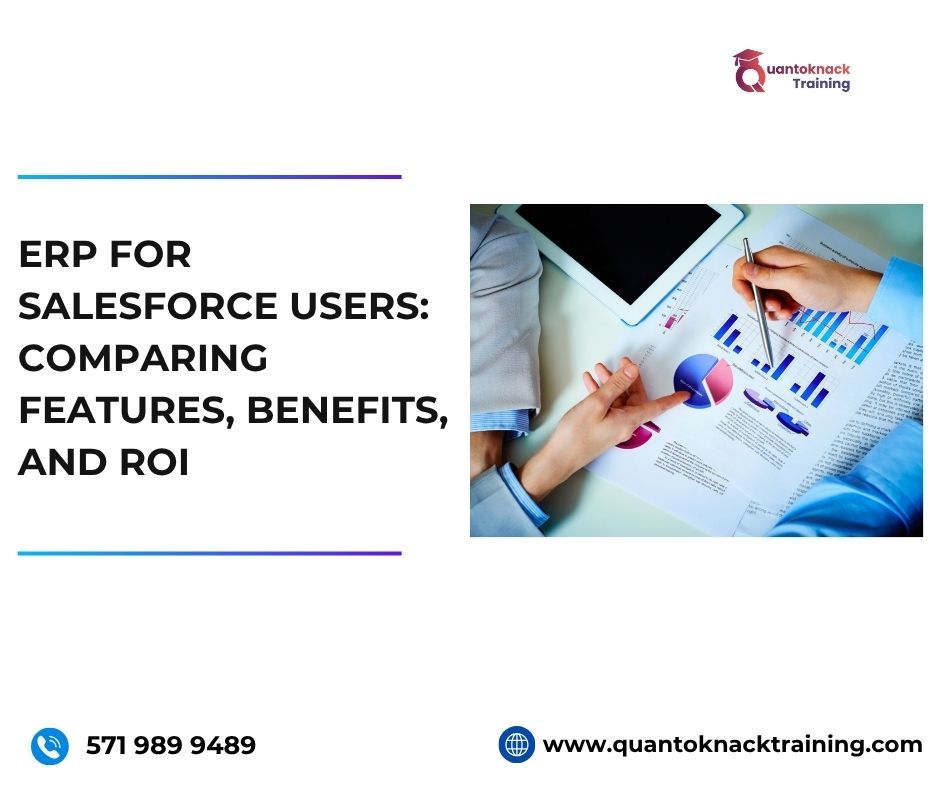
ERP for Salesforce Users: Comparing Features, Benefits, and ROI

What​‍​‌‍​‍‌​‍​‌‍​‍‌ if I told you that you have a business to run, and for that, you need to monitor several different tools? Sounds chaotic, right? But by integrating Enterprise Resource Planning (ERP) systems with Customer Relationship Management (CRM) tools like Salesforce, you don’t have to worry about the chaos anymore. The whole process gets faster with this integration. Connecting ERP to Salesforce means that companies establish a single system that improves transparency, simplifies interaction with customers, and enables the company to make more intelligent, data-driven decisions. 

At present, Salesforce is the leading CRM platform for managing sales pipelines, marketing activities, and customer relationships. However, it does not have built-in features for business areas such as finance, supply chain, and inventory management. This blog wil0000l give you deeper insight into the integration of ERP and CRM, which is beneficial for your business in the long run. Furthermore, it illustrates how team empowerment through Salesforce admin training and Salesforce AI training can lead to maximum ‍​‌‍​‍‌​‍​‌‍​‍‌returns.

What is ERP and Salesforce?

Enterprise Resource Planning (ERP) is a software system that uses a centralized database to manage a company’s internal operations, such as finance, HR, procurement, and supply chain. The unified platform gets rid of the data silos, which in turn allows better decision-making and increases efficiency to be increased. 

Salesforce, in contrast, is geared towards managing customer relationships, sales, and marketing. The customer-facing teams are made more powerful through the use of this tool, but the back-office processes are not handled by it. 

Simply speaking: 

• CRM = Customer-focused system 

• ERP = Business operations-focused system 

The connection of ERP to Salesforce is the solution that adequately addresses the problem leaving organizations with the option to take advantage of both systems for a more integrated business ​‍​‌‍​‍‌​‍​‌‍​‍‌strategy. 

Difference between CRM and ERP: Comparing Features 

1. Functionality

    CRM tools like Salesforce are used by sales, marketing, and support teams to manage contacts, communication, and performance, making the task easy for the employees within the organization. However, ERP is used by finance, HR, and operations to manage accounting, payroll, procurement, and compliance. Integrating these systems eliminates data duplication and allows all departments to operate from the same insights, which also means easier handling and processing of data.

    2. Data Management and Automation Capabilities

      One of the major differences between the tools is, CRM systems track customer-centric data which includes managing leads, handling communications, and support cases, while ERP tools manage operational data for the organization like managing invoices, inventory, and production schedules. Integrating both, provides a single, automated tool to manage for both departments, which ensure seamless workflows, fewer manual errors, and faster processes.

      3. Analytics, Reporting, and Seamless Integration

        CRM analytics focus on sales performance and customer engagement, while ERP analytics cover cash flow, cost control, and resource utilization. When integrated, they deliver unified business intelligence like real-time dashboards with both operational and customer metrics.

        Scalability is another and one of the best advantage of both the tools. CRM can handle growing customer bases and marketing channels, while ERP scales across multiple entities and regions. The result has real-time visibility and shared insights for better decision-making.

        4. Technology Architecture and ROI Contribution

          CRM like Salesforce is web-based, which means it provides versatile access to the users on the move and offers AI features alongside with other benefits. As for the ERP, it also moves to the cloud and focuses on security, compliance, and automation aspects. Doing both leads to a win-win situation for the business. Which means after integrating both, operations are not only secure and scalable but also intelligent. 

          CRM is the one that brings more money into the company vault by making customers happier, while ERP is the one that ensures profits are higher through resource optimization and cutting back on operational costs. The result of their partnership is a solid measurable return on investment (ROI), which is in line with sales insights and operational execution, thus leading to sustainable business growth.

          Calculating ROI of ERP-Salesforce Integration

          Return on Investment (ROI) is a crucial metric for evaluating the effectiveness of Salesforce and ERP integration. It helps businesses quantify how much value they gain from technology investments compared to their costs.

          ROI Formula:

          ROI= Net Benefits ( Gain from Investment – Cost of Investment )   × 100
          Cost of Investment

          Example:
          If your organization invests $25,000 in Salesforce-ERP implementation and gains $45,000 in productivity savings and process improvements within a year, the ROI would be:

          ( $45,000 − $25,000 )​ × 100 = 80%
                    $25,000

          This demonstrates that for every pound spent, the business earns $1.80 in return — a clear indicator of efficiency and value.

          Benefits of Integrating ERP for Salesforce Users

          By connecting an ERP system with Salesforce, a company obtains a single platform that merges client-facing operations with backend activities. This connection enhances the company’s operations with less effort, brings more accuracy into the data handling processes, and makes the company management more efficient across different departments. The main advantages are: 

          • Operational Efficiency at a Higher Level: The process of Automation in order handling, billing, getting the approvals, and quoting will lessen the manual work. Integration will remove double entries, lessen errors, and speed up the flow of work, thus enabling employees to concentrate on strategic initiatives. 
          • Data Accuracy and Consistency to a High Degree of Reliability: The data synchronization between CRM and ERP is the guarantee that all departments will have reliable, up-to-date information. Reporting and forecasting become more accurate, and decision-making is supported by a full set of customer and operational data. 
          • Besides, Unified Insights Are Enabling Better Decision-Making: Predictive analytics can be improved by AI training of Salesforce, which can provide the companies with the necessary information about the demand they can anticipate, anomalies that are to be detected, and trends that can be identified. When combined with Salesforce admin training, users will be able to handle their dashboards and reports in an efficient way, thus getting a full picture of sales, operations, and profitability. 
          • Faster Cash Flow Plus the Reduction of Cycle Times: The integration of ERP and Salesforce is the main reason for the streamlining of the quote-to-cash process. As a result, invoicing is accelerated and the delays are minimized, thus helping to improve working capital management and bringing about faster revenue recognition. 
          • Reduction in the Cost and Compliance with the Regulations: Integration leads to a decrease in the running expenses of a business by eliminating manual tasks and IT overhead from disparate systems. Apart from that automated workflows and centralised records will be in assistance to regulatory compliance as well as audit readiness, thus giving less room for risk and keeping up with the standards. 
          • Support for Scalability and Growth: When systems are integrated, they can expand together with the business as it grows and thus the data will remain consistent and the processes efficient, regardless of if the business has more customers, new products, several locations, or is operating globally.

          Role of Salesforce Admin Training & Salesforce AI Training in Maximising Returns

          The Live Salesforce Admin Training from Quantoknack Training enables learners to combine core Salesforce administration skills with new AI capabilities in a way that is both innovative and profitable for the business. By going through the practical modules on system configuration, automation, data integrity, and AI-driven insights, students will be able to streamline workflows, eliminate operational bottlenecks, and in general, find the most efficient ways to use their CRM and ERP systems. 

          Once the participants have mastered the administrative best practices along with Salesforce-native AI tools, they will be in a position to shorten the quote-to-cash cycle, increase the forecast accuracy, detect the anomalies in real time, and thus increase the output of the organization from the very first day. 

          Conclusion

          Incorporating an ERP system with Salesforce for organizations opens a significant avenue to propel business transparency, accuracy, and efficiency, and also to accomplish a tangible return on investment. To achieve success, pick an ERP that matches the essential characteristics of your business (finance, inventory, analytics, scalability), use a clear ROI model, and spend money on Salesforce admin and Salesforce AI training. Your integration will probably do more than just break even with itself and may even become the basis of your long-term growth.

          READ MORE
          TECHArtificial Intelligenceadmin0 Comments
          Share article:TwitterFacebookLinkedin
          540 Views
          12 Likes

          Breaking into AI: Skills, Courses & Career Tips for 2025

          Everyone has heard about AI, its effect on technology, its growth potential, and a lot more. But the biggest challenge is to include it in your career and day-to-day work, which can not only make your work easy but also create great value in the industry. That’s why most of the talents may lose their jobs or get stuck in their career. In 2025, online Salesforce AI training can make a great change in your life. This is not a workshop or simple AI tool utilization course like you may in ads over social media. This attains great potential in future as Salesforce is launching its own AI tools that can make a great difference in the CRM work.

          Many organizations seek and hire talent who acquire knowledge and skills in AI for better growth and automation of a lot of processes in the organization. It is very important that you understand everything about the AI skills and courses available that can help you grow your career in 2026 and beyond, as well as get some expert tips to get started. This article will guide you as a beginner and professional so that you can make a great hike in your career.

          Future-Ready Skills that You’ll Learn

          • AI fundamentals and ethical AI use
          • Prompt engineering and Copilot Studio
          • Building and deploying AI agents with AgentForce
          • Hands-on workshops and instructor-led sessions in global AI Centers
          • Practice Salesforce languages – Apex
          • Other key languages and technologies include JavaScript for UI, Lightning Web Components (LWC) for modern web interfaces, Visualforce for older UI development, and query languages like SOQL and SOSL for data retrieval.
          • Master Machine learning and deep learning
          • Get some hands-on experience Einstein 1 Studio and Einstein Generative AI
          • Learn to create and interact with large language models with Gen AI and Prompt Engineering.

          Certifications Available

          • Salesforce Certified AI Associate
          • Salesforce Certified AI Specialist
          • Salesforce Developer Training (CRM & AI Learning)

          Skills You’ll Gain with online Salesforce Developer training

          • Apex programming and trigger development
          • Lightning component creation
          • Salesforce API integration
          • Data modeling and security implementation

          Career & Professional Tips

          • Gain Experience: First of all, you must have practical knowledge of various case scenarios that you will require to solve various problems for your organization. And for that, these online Salesforce AI training courses provide hands-on experience on various live projects so that you can become a master in the field.
          • Build a Strong Portfolio: You have to keep all your work as a portfolio to tangible prove your skills and knowledge to the organization. Platforms like GitHub can help you showcase your projects so that the interviewers can understand what you know better.
          • Network Strategically: It is easy to connect with experts and other learners over online forums, meetups, and conferences. This way, you can share and even ask problems to people all around the world in the same field. You will get various possible solutions for various kinds of case scenarios.
          • Focus on Business Value: You have to understand the business demand and then understand how AI can solve such real-world challenges. This way you can make the most out of your skills, giving more valuable results.
          • Stay Up to Date: Staying updated is the most important thing for everyone. Keep an eye on all the latest updates that Salesforce shares regarding AI and other tools. This will help you come up with more advanced solutions for every department. You must continuously follow industry news, read research papers, and keep up with new trends.
          • Prepare for Technical Interviews: The online Salesforce developer training courses include mock and practice tests that help you check your knowledge and even prepare you for your job interview. You will be trained in Salesforce via various coding challenges and case studies relevant to your AI roles.

          How to Get Started

          • Visit Trailhead and enroll in AI-specific modules
          • Join online Salesforce AI training with QuantoKnack training.
          • Learn in live sessions by experts, ask your doubts and get solutions without hassle.
          • Practice with mock tests and other series to polish your skills and knowledge.
          • Earn badges and certifications to showcase your skills as we will help you prepare for your Salesforce developer exam.

          So, what’s your choice in 2026? How are you going to start your career journey in 2026?

          READ MORE
          Artificial Intelligenceinformation technologyadmin0 Comments
          Share article:TwitterFacebookLinkedin
          775 Views
          12 Likes

          Top 10 Scenario-Based Salesforce Admin Interview Questions for 2025

          The toughest part of finding a job is answering the Salesforce admin interview questions. A lot of talents ask these kinds of questions in the community to get expert advice. But students who got the right Salesforce admin training from the right place get practice and mock tests as training for theoretical questions asked in the interview and live project training for scenario-based practical questions. Still, if you are near your interview date, here are the 10 scenario-based Salesforce admin interview questions for 2025, designed to assess practical problem-solving skills:

          Question 1: How would the Salesforce automation tools implementation can help a Sales team that needs a way to track the number of products included in each closed-won opportunity with a target to automate the reporting process?

          Answer: Here you need to explain the Roll-up summary field, as it calculates values from related records, such as those in a related list. You can use it on the opportunity object that will help you count related products from a junction object (if needed) or directly on the Opportunity Line Items. Also, you need to learn how to use Process Builder or Flow Builder and demonstrate the complete process in order to automatically update this field upon opportunity closure.

          Question2: How would you diagnose and resolve a slow performance issue reported by a user when loading a specific page layout?

          Answer: You have to explain the complete troubleshooting process step by step for this  Salesforce Admin Interview question. Include the following in your answer:

          • Keep a check on excessive fields or related lists, queries related to large SOQL, rules with complex validations, and the time of execution triggered.
          • Give them some advice on reducing the unnecessary fields, SOQL optimization, simplification of validation rules, and triggers optimization.
          • Also, add on some pointers related to the use of Salesforce Optimizer and debug logs.

          Question 3: How would you implement a case in which a marketing team needs a way to segment leads based on their industry and region within Salesforce?

          Answer: You can advise here to use the record types to build different lead layouts that will show tailored results as per the specific industries and regions. Talk about the process that can help picklist values and/or custom fields (e.g., “Industry,” “Region”) and detailed steps to leverage lead assignment rules based on these criteria.

          Question 4: How would you help the sales team with implementation in a scenario where they want to restrict access to sensitive data on certain opportunity records?

          Answer: You can advise them to use Permission sets so they can control field-level security for the sensitive fields. Share how you will create a permission set with the appropriate field-level security settings and assign it to the sales team members who need access.

          Question 5: How would you recover a large amount of records data accidentally deleted by a user?

          Answer: Start with explaining the proper use of the recycle bin to get back all the deleted records that were deleted in the last 15 days. Then share your knowledge about the data loader and how to use it for exporting a backup for the bulk deleted data recovery. Don’t forget to share about the data mask that can be a great help in more complex recovery scenarios.

          Question 6: How would you grant a newly hired employee temporary access to Salesforce but it needs to be shared for a specific duration?

          Answer: This is about creating a Permission Set Group that contains all the necessary permissions. So, share the complete process of using the Permission set assignment that will result in assigning this group to the new hire for the specified duration.

          Question 7: How would you handle the scenario where a company wants to automate the welcome email sending process to all new customers upon account creation?

          Answer: Here in this scenario, you need the knowledge of the Workflow rule and Flow triggered on account creation for sending all the emails to new users. Share the complete process to create an email template and how to configure the Workflow rule or flow to send those emails with the appropriate details. 

          Question 8: How would you debug and resolve the issue where a user had a problem with a custom object’s validation rules?

          Answer: Start by explaining how debug logs can be an important part of identifying the source of the error. Then you should share the complete process of debugging logs enablement, pinpointing the problematic validation rule by log analysis, and then modifying the validation rule to resolve the issue.

          Question 9: How would you implement a feature that can help a business track the total value of opportunities associated with each account?

          Answer: Here, you can share about how you will create the Master-detail relationship between the Opportunity and account object. Also, you can talk about using the lookup relationship if a Master-detail is not suitable. Then explain how to create the Roll-up Summary field on the Account object to sum the opportunity value.

          Question 10: How would you migrate a large dataset from an external system into Salesforce? 

          Answer: You can start your answer by choosing the appropriate tools like Data Loader or other migration solutions. Share how you need to define clear objectives and data quality assessment to map the data to Salesforce fields and cleanse and format the data accordingly. For larger data sets, you can choose a data loader and for simpler migrations, the data import wizard is best.

          Final Thoughts

          If you want to shine and make a great career in Salesforce, Quantoknack Training can be the best choice for you. We have professionals for Salesforce admin training that not only teach you but also polish your knowledge with mock and practice tests. You will get the chance to work on live projects where you will experience various types of real-world scenarios that will help you in your future jobs. Even you do not have to worry about finding a job on different portals, as you will get complete job assistance here.

          READ MORE
          Artificial Intelligenceinformation technologyTECHadmin0 Comments
          Share article:TwitterFacebookLinkedin
          641 Views
          26 Likes

          Smart Skills, Smarter Hires: The Rise of AI in Salesforce Admin Training & Placement

          AI has evolved the way everyone used to work by automating many processes and predicting various possibilities based on analytics. That’s why Salesforce admin training has included AI training for students. Organizations need an admin who can help predict and create a more strategic pathway to ease the work for the employees to free them up to focus on more essential work instead of getting stuck with repetitive work.

          That’s why Salesforce’s AI-powered tools are the need of the hour for a lot of organizations and individuals. Organizations need more seamless workflows and accurate data analysis, which can be possible with AI tools. Admins can use these AI tools to automate and optimize the workflow for better utilization of the technology in the way to success for the organization.

          Let’s understand the rise of AI in the Salesforce admin roles with this blog.

          Impact of AI on Salesforce Admin Roles

          1. Automation of Routine Tasks

          The Salesforce admin role includes many responsibilities, including data entry, record updates, report generation, and workflow creation. Most tasks can be repetitive, consuming a lot of admin time. That’s why AI tool assistance is beneficial. It can help automate 40 to 50% of manual tasks, giving time for brainstorming and work more important for the organization.

          1. New Job Titles

          You can not stick to just one job role for your entire life. It is very important to evolve with the latest technologies so you can open a lot of doors in your career path. In the Salesforce environment, you can become a Salesforce AI Specialist, Data Scientist, or AI Solution Architect with the right Salesforce AI training program. All you need is to learn and get some experience in solving various scenarios and you are all set to pave a more powerful way.

          1. Enhanced Data Quality

          Data duplication and complexity are the two major problems in the way of accurate analysis. Salesforce admins can take advantage of AI-powered tools that help deduplication and data cleansing, resulting in high accuracy in data analysis and better support in decision-making.

          1. Intelligent Insights

          Admins need complete insights for every workflow and action in the system to create and recommend future processes accordingly. AI tools help share personalized reports for every action in the system and can assist in predictive analysis to be prepared with proactive actions in response.

          1. Personalized User Experiences

          Every user of your system needs something unique and essential navigations and features. So, admins should utilize AI tools to enable personalized dashboards and page layouts for different users. You can manage all the roles and accessibility providing a more seamless user experience easily to all.

          1. Skill Shift

          You will notice the need of the hour is the certified Salesforce admin who attains knowledge and some experience in AI tools like Einstein and prompt engineering. Hence, it is very important to understand the market demand and evolve in order to be crucial in the field for various organizations and even become irreplaceable with your skill set.

          1. Security Considerations

          AI tools can save a lot of things for your organization with the ability to predict or detect many problems in advance. These AI tools will keep permissions updated and compliance checked in order to maintain high security for user data. Also, you can help organizations understand and analyze the upcoming risks better and prepare for them in advance.

          Skills for the Future

          You have and will always have a lot to learn and evolve with. Here are some pointers that will help you evolve as a Salesforce admin.

          • AI & Automation Proficiency: Salesforce admins must start learning AI tools like Einstein and Agentforce for the future.
          • Strategic Thinking: It’s on you to think critically about why AI is crucial for your organization, when is the right time to implement it and how can they improve business processes and outcomes with the AI tools implementation in the Salesforce environment.
          • Data Analysis: You can leverage the AI-powered tools for deeper and customized insights, so you can shine in your organization with proficiency in data analysis and trends identification.
          • Adaptability: As a Salesforce admin, you must keep an adaptable mindset in order to learn more skills and evolve constantly in the Salesforce ecosystem. This will increase your demand and value in the field.

          How to Prepare?

          There are 2 most feasible ways to get started with your Salesforce AI training. Let’s understand them in detail and choose the one that fulfills your needs.

          Take advantage of the free Trailhead Learning Platform:

          You can always start easy by choosing the Trailhead for self-study and understanding the latest technology and evolutions in the system.

          Focus on AI and automation:

          You can simply choose the right and most suitable online Salesforce admin training and placement program that includes AI-powered tools in their curriculum. It can help you learn and prepare for the certification exam for a more valuable place in the market.

          • You will get sessions from experts with years of experience and create different mock and practice tests for students.
          • These tests will help you check your knowledge and weak parts to work on them more for the exams and interviews.
          • Not just this, you will also get the chance to work on live projects to earn experience, work on various case studies and real-life scenarios, and become more confident.
          • After completing your entire course and exam, you will get assistance for job placement with highly reputed organizations in the USA that are partnered with QuantoKnack training to find immense talents.

          Final Thoughts

          The salesforce system is evolving from time to time so you as the Salesforce admin must evolve too for yourself and the organization. And this time the rise is AI-powered tools. So, prepare yourself with the online Salesforce admin training and placement program to evolve your career with the latest technology to become a valuable asset in the market. These smart skills will help you with smarter hiring. You have to understand the evolving trends, technology, and world to stand out with your skills in the crowd of other talents. Hope you understand the importance of AI in the Salesforce career and learning.

          READ MORE
          TECHArtificial Intelligenceadmin0 Comments
          Share article:TwitterFacebookLinkedin
          907 Views
          32 Likes

          From Automation to Intelligence: Why Salesforce AI Training Matters Now!

          The AI integration in Salesforce has empowered organizations to predict and get more success in business. The Salesforce AI training can help developers & admins to create a more seamless workflow for the entire organization. The repetitive tasks, insights personalized for a specific task, prediction for proactive actions, and many more advantages of integrating AI in the Salesforce environment increase the demand of AI skills in the market. Now, both AI and Salesforce are going hand in hand so it is very important for every individual to learn and create a better experience for the organization & employees, and for users. 

          Let’s understand this in a better way. How can your Salesforce AI training make a great difference for your career as well as the organizations you will work for? Why is Salesforce AI training a must in today’s time? 

          5 Reasons Why Salesforce AI Training Matters!

          Here are 5 reasons to better understand the demand & need for Salesforce AI training in 2025 and the upcoming years for both business and career growth.

          1. Enhanced Efficiency and Productivity:

          Automated Tasks: AI tools help to manage all the repetitive tasks that require daily attention but can be simply handled by automation. Whether lead scoring, data entry, or case routing, all can be automated with the right AI tool that can free up some more time for the employees to focus on strategic work and increase their work efficiency.

          Improved Workflows: From departments to teams, many workers rely on each other and need to interconnect and collaborate for work even outside of their departments. AI tools can streamline workflow accordingly, helping various departments to interact and connect for any requirement.

          2. Better Customer Experiences

          Personalized Interactions: It is very important to understand your customer and provide them with insight and information as per their data and behavior. You can use AI tools to create personalized recommendations and targeted marketing campaigns.

          Improved Customer Service: Organizations can make the customer experience more seamless simply by adding various FAQs and responses in advance to the AI-based chatbots with automated support systems. This way, users will get instant responses to their queries with personalized solutions with the help of AI.

          Predictive Insights: Now, you have the analysis reports shared by the AI tool but how will you observe it and understand the customer needs and issues? For this also, you can reach out to the AI system, as they have the power to understand what a customer wants and offer proactive solutions to them. This will create stronger relationships between the organizations and users.

          3. Data-Driven Decision Making

          Actionable Insights: All you need to do is keep all your data in one place, attached to your AI tool. It will analyze the vast amount of data for you and provide actionable insights for making well-informed business decisions.

          Predictive Analytics: Not only what has happened, but you can also get predictions for the future. AI tools offer forecasts analyzing the pattern of sales, trends in the market, and challenges most likely to appear. This identification and prediction allow organizations to develop proactive strategies and be ready for different kinds of consequences.

          4. Staying Ahead of the Competition

          Competitive Advantage: The most important thing in business is to keep an eye on what your competitors are doing and stay ahead with more latest technologies to beat them in the race. Utilizing AI gives organizations a competitive edge as you can optimize the processes, enhance your user experience, and even make more informed decisions for various business problems.

          Future-Proofing: While planning and adapting to any technology, it is imperative for organizations to understand the AI evolution and how it can change the market in the future. It is very important to understand the importance of AI.

          5. Importance of AI Training

          Adoption and Integration: No matter how organizations understand AI tools, it is your duty as an AI expert to tailor the complete strategy as per the company’s requirements. With Salesforce AI training, you will become a gem for organizations that want to implement tools like Salesforce Einstein and Agentforce into their system.

          Mastering Tools: As a certified Salesforce developer or admin, you have to attain success in learning and mastering the various AI tools in the Salesforce environment. It will increase your value in the organization and even help you in creating more aligned strategies to customize the system as per the organizational needs.

          Future-Ready Workforce: AI is thriving in the 2025 era and is more likely to evolve and demand in the future. The features like automation, analysis, accurate predictions, seamless workflows, and other assistance to the business in maintaining customer relationships, will give you a great future in the AI career. This technology will grow and so will your career.

          Final Thoughts

          This is why you must complete your Salesforce AI training to pave a successful career. For organizations, you will empower the people from operations to customer experience and competitive edge. Optimization and enhancement in this rapidly evolving technological landscape will change the business value, becoming a valuable asset for them. You can ensure a great appraisal and higher salary expectations than other technologies in the field. All you need is to complete a Salesforce certification, in which QuantoKnack training will help you for sure. 

          You will get sessions from experts who have years of experience as well as knowledge that can help you understand the complete area of topics and prepare better for your exam. Not only this! You will also get mock and practice tests that will help you highlight the areas where you lack and the areas where you are good at. This way, you can focus on the weak areas and work better for it. After completing your Salesforce AI training and certification, you will also get assistance for job placement. Our partnered companies offer jobs at their highly reputable companies with a higher salary package.

          In short, Salesforce AI training can be the best way to kickstart your career journey in Salesforce and become a valuable asset.

          READ MORE
          TECHinformation technologyadmin0 Comments
          Share article:TwitterFacebookLinkedin
          771 Views
          25 Likes

          From Novice to Pro: What You’ll Learn in Salesforce Admin Classes?

          Learning Salesforce admin skills has become easy for everyone, whether from an IT or non-IT background. All is possible with the online Salesforce Admin classes in the USA. It makes it easy for individuals to keep on working with their current jobs or studies and learn the Salesforce environment side-by-side. However, it is very important to know and check that the curriculum includes all the basic education required for a Salesforce admin.

          Let’s have a more detailed look at what you will learn with the Best Salesforce Admin Classes Online:

          Core Salesforce Skills

          • Navigating the Platform: The foremost is to understand the complete user interface, menu, and navigation options available in the environment.
          • Data Modeling: The admin role requires structuring data effectively, for which you need to learn about objects, fields, and relationships.
          • Reporting and Dashboarding: It is crucial to visualize the data and track the overall performance to create reports and dashboards for the organization and users.
          • User Management: It will be your role to add, manage, and assign roles and permissions to the users in the Salesforce environment, so you will learn it.
          • Data Management: You will learn tools like the data loader, which will help you import, export, and manage data within the system.

          Automation and Process Management

          • Workflow Rules: Speed up the work for all the departments in the organization with workflow rules by automating tasks and processes.
          • Process Builder: Add multiple steps and actions to create a proper workflow and automate, utilizing the Builder.
          • Flow Builder: You can even build automation as per the business needs using Flow Builder, known for complex and custom automations.

          Security and Access Control

          • Sharing Rules: Control the organizational data access by understanding and implementing sharing rules in the system.
          • Profiles and Permission Sets: Every user has different needs. Keeping this in mind, you have to manage and provide access to them in the system using profiles and permission sets.
          • Security Best Practices: Data security is the most crucial topic for every business. Hence, you will learn to implement various security measures within the system to protect sensitive data efficiently.

          Data Integrity and Validation

          • Validation Rules: Admin keeps the data accurate and consistent with the help of the validation rules application.
          • Data Loading and Maintenance: Admins have to take care of data integrity by importing, exporting, and maintaining it well.
          • Duplication Rules: Preventing duplicate records and maintaining data quality. 

          Advanced Topics

          • Salesforce CPQ: Learning about Salesforce CPQ, a tool for configuring, pricing, and quoting products.
          • Apex Programming: Learning the basics of Apex, a programming language used for custom development in Salesforce.
          • Debugging: Learning how to debug code and troubleshoot issues. 

          So, this is all about what you will learn at a Salesforce admin training and certification course. But the next question that arises is, where should you enroll?

          It can be challenging to learn all by yourself. There’s no way you can train and do other stuff like your education or job with an offline training class. That’s why it becomes the best choice to choose the online Salesforce admin training in the USA. There, you can get numerous benefits like

          • Complete the curriculum covered in the course.
          • Training by Salesforce professionals who have years of experience.
          • Online sessions that you can access anywhere at any time.
          • Get recordings of the classes to revisit or attend the missed class later.
          • Get real-time training on live projects to understand the case studies better and build skills to solve various problems within the Salesforce environment.
          • Know your areas of improvement with the review sessions and mock tests.
          • Access 24/7 support to solve any issues during your training.
          • Get a chance to earn higher than others in the field with the Salesforce Admin Certification.
          • Increase your job chances and highlight in the crowd with a recognized certification.
          • Get your dream job with higher pay and a good work environment, with the placement opportunity with our partnered organizations.

          Hope now you know what is best for you and where you can enroll to achieve it. QuantoKnack training programs have all the benefits that can help you get trained and started with your Salesforce journey. All you need to do is learn and practice for 6 weeks with us, and then you will be eligible to apply anywhere you want for the post of Salesforce admin. If you are a non-IT person and fear stepping into IT, this is your chance to break all the barriers and become something more in life. Even if you are just thinking about it right now and are not sure whether to start or not, talk to us! 

          We will try our best to guide you and help you pursue whatever you want in your life with Salesforce. Contact us now!

          READ MORE
          • 1
          • 2
          Recent Posts
          • How Salesforce Business Analysts Use Data Cloud for Better Customer Insights
            Customer interaction is a kind of story. The customer could see...
          • What is Salesforce Headless Architecture? A Complete Beginner’s Guide
            If you've spent any time reading about Salesforce recently,...
          • How Salesforce Admins Can Minimize Risk Through Proactive Security
            Most often, security is not the result of one major event or...
          • Step-by-Step Guide to Becoming a Salesforce Business Analyst
            The Salesforce ecosystem is booming, and companies are looking...
          • How to Implement Robust User Access Controls in Salesforce for Better Security
            Keeping your Salesforce data secure isn’t just about locking it...
          logotype

          We cater to individuals and corporates and provide IT training and certification programs.

          44679 Endicott Drive Suit 300 #1046 Ashburn, VA 20147 United States

          Phone: +1-571 989 9489

          Email: atul.deo@quantoknack.com

          Useful links

          About Us

          Contact Us

          Blog

          Courses

          • Live Salesforce Admin Training
          • Business Analyst
          • QA Testing Course
          • Advance JAVA Training
          • SQL Server Training
          • Live Salesforce Developer Training Certification Course
          • Digital Marketing
          • Oracle DBA Training

          Subscribe

            Facebook
            Instagram Pinterest Linkedin
            Logo star

             2026 Quantoknack. All Rights Reserved